

A great demo tells you what a low-code platform can do. It doesn’t tell you whether it can handle the way your business works.
That becomes clear when you need a custom approval flow, data from an existing system, or different access for employees and customers. Choose on the demo alone, and you risk discovering those limits months into the build.
This guide compares 10 low-code platforms for business applications: where each fits, what it costs, and how much control you keep. Whether your operations team will own the app or IT will lead development, the goal is to find a platform you can keep building on, rather than one you’ll need to work around.
What is a Low Code Platform?
A low code platform lets you build applications with visual tools instead of writing every part by hand. Think of it as a set of powerful building blocks. You drag and drop components, connect data sources, and define logic visually, which the platform then runs as an application.
Instead of coding every screen and workflow from scratch, teams work with visual tools and reusable components. That can accelerate development by up to 10 times compared with traditional methods.
Developers can extend supported parts of the application with code, while citizen developers (business users who aren’t professional developers) can build and refine workflows visually. Examples include approval apps, inventory systems, case management and customer portals.
How to Choose a Low Code Platform
A tool that works for a simple internal dashboard can fall short when you’re building a production SaaS product. Your application’s requirements, existing systems and the people maintaining it will help determine which platform fits.
If AI will help build or run the app, our low-code AI development buyer's guide compares what each platform's AI does.
These questions will help you narrow the field.
- What are you building? A client portal, an operations app and a SaaS product can all have forms, dashboards and logins. What separates them is the work behind those screens. A portal might give customers access to documents; an operations app might connect scheduling, approvals and invoicing. Choose for the whole workflow, not only the interface.
- Who will maintain it? The person building the first version may not be the person making changes six months later. If your operations team will own the app, they need a practical way to update screens and rules themselves. If developers will maintain it, code extensions and development tools may carry more weight.
- Where does your data live? You shouldn’t have to move your customer records or rebuild your backend to create a better interface. Start with the systems you already use, whether that’s a CRM, Supabase, Xano, PostgreSQL or a custom API. Check that the platform supports the actions you need, rather than a connection that only displays data.
- How much freedom do you need? Ready-made layouts and workflows can save time when they fit your process. When they don’t, the workarounds add up. Identify the parts of your app that must work your way, then compare how each platform lets you customize them.
- Who needs access? An app for ten colleagues is a different buying decision from a portal for hundreds of customers. You’ll need to consider both what each person can see and how the platform charges for their access. Keep builder seats and application users separate when comparing prices.
- What happens after launch? Your business will change, and the app will need to change with it. Look for a way to test updates before users see them and recover if something goes wrong. If hosting flexibility or code ownership matters to you, understand those options before the app becomes part of daily operations.
The comparison below will help you narrow your options. Once you have a shortlist, test the workflow that matters most to your business, rather than choosing the easiest template.
Costs and Pricing: What Changes the Total
Pricing models differ more than headline prices suggest. A builder seat pays for the person creating the app; an app-user license pays for someone using it. Hosting, database capacity, AI usage and enterprise connectors can add separate costs. Free evaluation environments also differ from production plans.
Watch out for:
- Per-seat or per-app-user pricing that changes the bill as builders or users increase
- Feature restrictions that reserve custom domains, role-based access, or audit logs for higher tiers
- Usage limits on rows, API calls, or monthly workflow runs
- Moving costs if an exported app still needs the original platform to run, or you need to move data, files and authentication separately
- Hosting fees charged separately on top of the base subscription
Open Source vs Proprietary Low Code
Open source platforms let you inspect and modify their source under the applicable license. A free edition does not mean every governance feature or support package is free. With self-hosting, the trade-off is that you own the infrastructure, updates, and security patches too. For teams without DevOps resources, that overhead is often underestimated.
Proprietary platforms can offer managed convenience alongside different levels of application portability. What matters is whether your exported app can run independently or still needs the original platform and its license. For anything you plan to run long-term, that exit option matters.
Governance and Best Practices for Sustainable Low Code
The more your business relies on an app, the more valuable clear ownership becomes. A few shared habits make it easier for the next person to understand and improve what you’ve built.
- Name everything consistently: components, variables, workflows. Agree on conventions before you build, not after.
- Define who can build what: clear ownership prevents five people building five versions of the same thing. Agree who can change shared data and integrations, and who reviews releases.
- Document non-obvious decisions as you make them, especially workarounds.
- Review before going to production: test permissions, failed integrations and recovery with the people responsible for the application. Keep AI-edit permissions separate from the permissions of people using the app.
- Review what you still use every six months: retire unused apps and consolidate duplicated components so the team has less to maintain.
💡 Test your app before launch: Work through seven common no-code security vulnerabilities, with a fix and a test for each. Use a staging environment, test accounts and fake data.
Trends in Low Code (2027) to Future Proof Your Choice
AI is changing how applications get built. We think the next shift will be in what teams expect after the first version: more control over changes, more ownership of their workflows, and fewer compromises about where their applications run.
The next differentiator is control, not generation alone
Generating an application is only one part of building software. The harder question is what happens when the business changes.
Our view: the strongest platforms will combine AI’s speed with a clear way to inspect, edit and protect the result. Teams shouldn’t have to choose between prompting for every change and handing the application over to a developer.
Citizen development is moving beyond the first build
The bigger opportunity for citizen development isn’t helping someone launch an app once. It’s letting the people responsible for a process keep improving the software that runs it.
We see business-owned applications as an important direction for low-code: operations teams owning the workflow and its evolution, with IT providing governance and technical support where needed.
Custom applications can become the layer between business systems
Businesses don’t always need another system of record. They need their existing systems to work together around the way their teams operate.
We expect more value to come from applications that connect those pieces: one workflow spanning customer information, scheduling, approvals and finance, without requiring the business to replace everything underneath.
Convenience shouldn’t come at the cost of ownership
Managed infrastructure makes it easier to get an application running. But as that application becomes part of daily operations, the ability to move it, extend it or run it elsewhere becomes more consequential.
Our view is that low-code should reduce the work of building software without making the business permanently dependent on one vendor. Managed hosting and a credible exit path should complement each other, not be opposing choices.
Top 10 Low Code Platforms
1. Nodavelo
Nodavelo is a visual, AI-assisted full-stack builder for production-grade web apps, portals, and SaaS.
Best for: business-owned enterprise apps. Operations teams and citizen developers build and evolve custom applications across teams, with IT providing oversight and technical support where needed.
For example, sales creates a quote, operations schedules the job, field staff update progress, finance tracks invoices, and customers see permitted documents and status in a connected portal. The business team owns how that application evolves; IT can review its architecture, data access and integrations.
Key capabilities
- AI with control over changes: Build with Nodavelo AI or an external agent through Nodavelo MCP, then inspect and refine the interface and logic visually. You can protect working pages, workflows and data structures from AI edits while still letting AI read them for context.
- Full-stack building and existing data: Use the native Nodavelo backend for tables, authentication and backend workflows, or connect external systems through supported integrations and APIs. REST and GraphQL connections remain useful when the system you need has no dedicated integration.
- Custom code when needed: Extend the app with JavaScript and custom coded components. Reusable components and a design system keep apps consistent across teams. Start your design in the editor or use powerful Figma import.
- App access: Give employees and customers access to the data and actions they need through roles and server-side rules on table views and API endpoints. These rules protect app data; AI-edit protection controls what an agent can change while building.
Connect & deploy: Publish on Nodavelo Cloud or export the full stack and self-host. The exported backend runs on your server with your own PostgreSQL database, including Nodavelo Auth. Configure your storage, secrets and external services as part of the deployment; exporting the app is not a one-click data migration.
Trade-off: For a team-owned app, budget beyond the solo-builder plan. Continued MCP access after its trial, collaboration and AI resource protection require Pro or Partner; staging and versioning depend on your cloud plan or a paid add-on. Agree who reviews sensitive access and releases as more teams contribute.
Pricing: Essential starts at US$20/month billed annually, or US$25 billed monthly, for one developer, including code export and self-hosting. Pro starts at US$50 per developer/month billed annually, or US$60 billed monthly. Cloud hosting is separate: Launch+ starts at US$20/month billed annually, or US$24 billed monthly. There is no per-end-user fee, but database, compute, storage and bandwidth allowances still affect the bill. A free plan supports evaluation and limited cloud use.
2. Appian
Appian is an enterprise low code platform built for end-to-end process automation at scale.
Best for: enterprise teams automating complex business processes and case management.
Key capabilities
- Drag-and-drop process designer makes building approval workflows and case management flows fast.
- Data fabric brings records from different systems into one application, with record-level security controlling what each user can see.
- SAIL lets teams define interfaces through expressions, while integrations connect external services through HTTP requests.
For example, a service case can collect documents, route approvals and call an external system before closure.
Connect & deploy: Appian supports cloud and self-managed deployments. Applications move between Appian environments as packages containing configurations and design objects; this is not standalone application-source export.
Trade-off: Appian is strongest when coordinating a complex process is the main job. Standard, Advanced and Premium have different data-source and AI limits, and some cloud features have reduced availability in self-managed deployments.
Pricing: Community Edition is free. Production pricing is arranged with Appian, with per-user, per-month, per-app tiers and platform licensing options. Community Edition is a personal development environment, not a production plan.
3. AppSheet
AppSheet, from Google, quickly turns your spreadsheets and databases into mobile and web apps.
Best for: Google Workspace teams digitizing field inspections, inventory capture and similar record-based workflows.
Key capabilities
- Ready-made views present your data as forms, tables, charts, maps and dashboards.
- No-code expression language similar to spreadsheet formulas keeps simple logic accessible to non-developers. Automation handles data changes and notifications; mobile apps support offline use and background sync.
- User sign-in and security filters can restrict data by user. Security filters require Core or above, and sensitive operations still need protection at the data source.
For example, a field team can record an inspection offline and synchronize it when connectivity returns.
Connect & deploy: Apps are hosted by Google and run in browser or the AppSheet mobile container (enabling offline use). Starter and Core focus on spreadsheets and file storage; Enterprise Plus adds cloud databases, APIs and enterprise data services. App copies and version restoration stay within the AppSheet environment.
Trade-off: AppSheet is a strong fit when forms, tables and spreadsheet-style formulas match the job. A highly tailored interface may need more freedom than those views provide, and external database or API connections require Enterprise Plus.
Pricing: Starter costs US$5/user/month, Core costs US$10/user/month, and Enterprise Plus costs US$20/user/month. Core is included in many paid Google Workspace subscriptions. You can test with up to ten users at no cost; wider deployment needs a paid plan. Billing can be monthly or annual depending on the subscription.
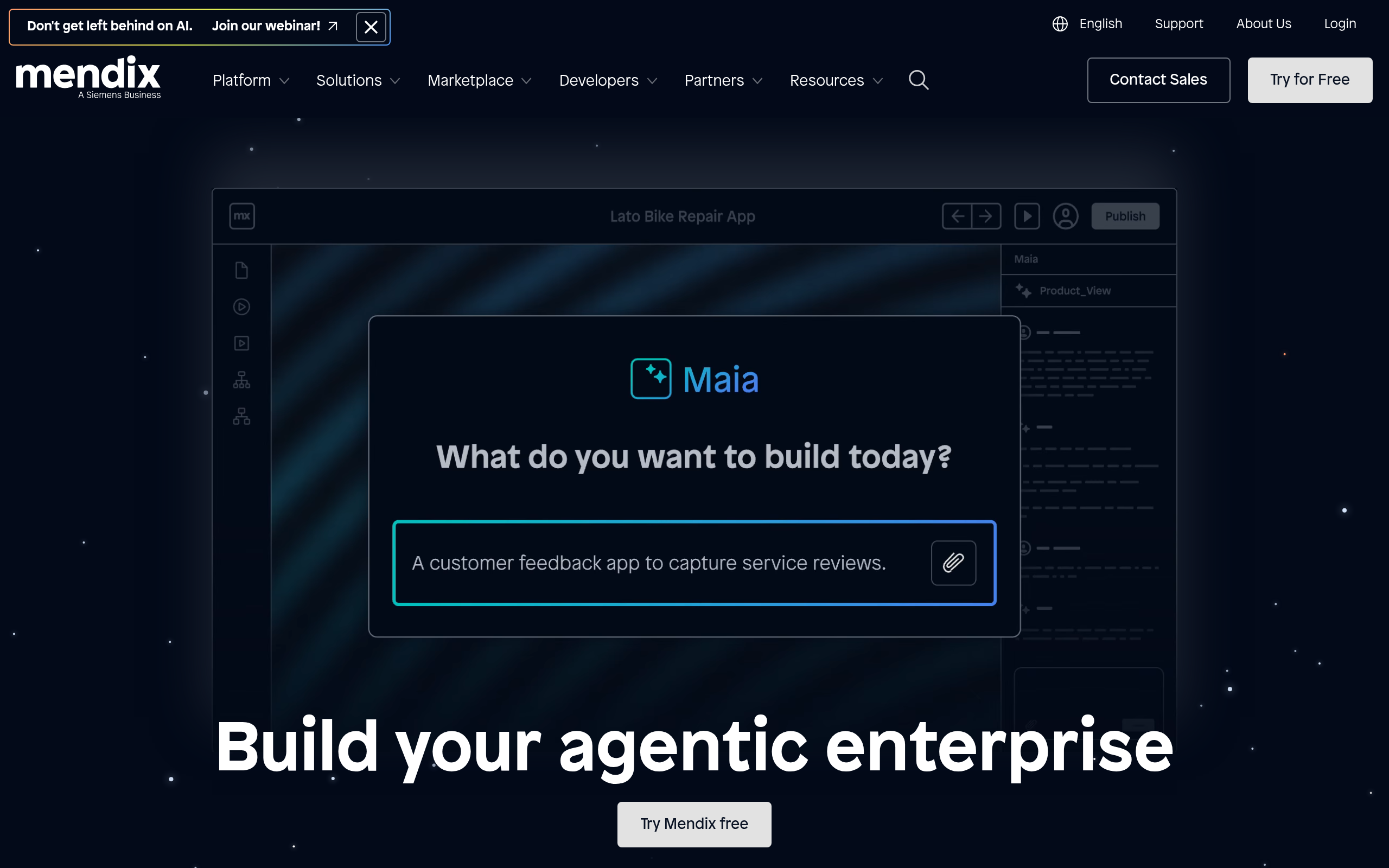
4. Mendix
Mendix is a full-stack low-code platform for web and mobile applications, built around visual models and an application runtime.
Best for: IT-owned enterprise application portfolios that need shared modeling, security and deployment practices across delivery teams.
Key capabilities
- Microflows and nanoflows provide a visual drag-and-drop interface for building complex business logic.
- A visual data model defines records and their relationships; REST services connect external systems, and Java actions extend the visual logic.
- Application and module roles control access. Licensed cloud apps can use separate production, acceptance and test environments.
For example, business and technical contributors can collaborate on a supplier operations application within an existing enterprise development program.
Connect & deploy: Options include Mendix Cloud and customer-managed deployment. Exported models and deployment packages still use the Mendix runtime; the presence of Java extensions does not mean the whole application exports as an independent Java codebase.
Trade-off: Budget for runtime licensing, hosting and the team's modeling and extension skills together. The investment covers how your team builds and operates applications, not only how it designs screens.
Pricing: Standard One App starts at US$1,090/month, excluding cloud compute resources. The published monthly figure does not specify a billing commitment; confirm the payment schedule and user requirements in the quote. The free edition supports prototypes and small applications without the paid support and availability guarantees.
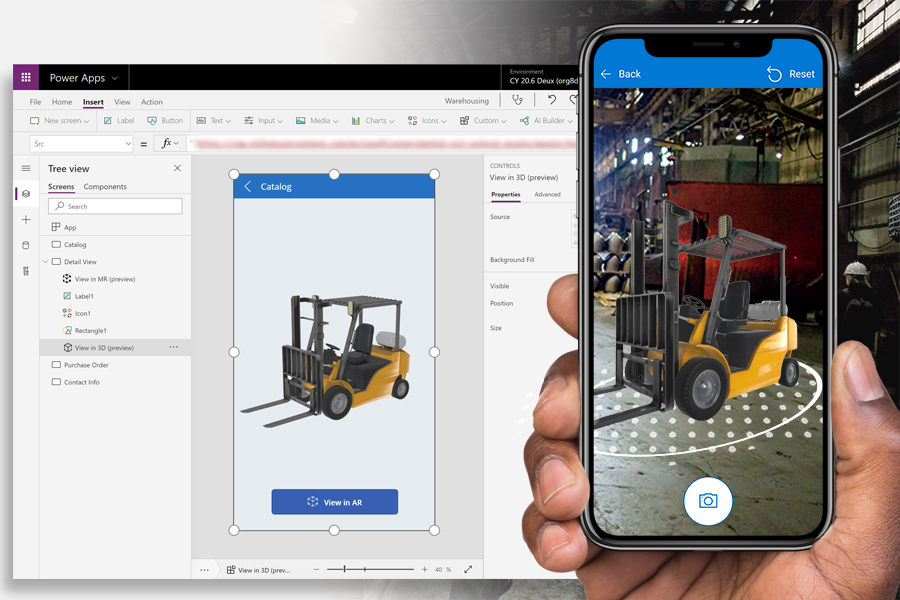
5. Microsoft Power Apps
Power Apps is Microsoft's low-code platform for building business applications with canvas interfaces or Dataverse-based model-driven apps.
Best for: Organizations already running on Microsoft 365 and Azure.
Key capabilities
- Power Fx formula language is approachable for business users familiar with Excel.
- Canvas apps provide layout control; model-driven apps derive much of the interface from the Dataverse data model.
- Dataverse security roles govern data access, while solutions and Power Platform pipelines support deployment between environments.
For example, an equipment-request app can connect employees, inventory and approval stages within the Microsoft tools the team already uses.
Connect & deploy: Use the appropriate connectors for cloud and on-premises data. The on-premises data gateway connects data to cloud services; it does not make Power Apps an on-premises app runtime. Solution exports carry platform components and customizations, not a standalone replacement for Power Platform.
Trade-off: The two app models have different UI and data constraints. Model-driven apps require Dataverse, while canvas apps support other sources. The users, connectors and automation you need determine the license cost.
Pricing: Power Apps Premium is US$20/user/month, paid yearly, with unlimited apps for the licensed user and premium/custom/on-premises connectors. Dataverse capacity and other products can add costs. The Developer Plan is for non-production building and testing; pay-as-you-go is a separate option.
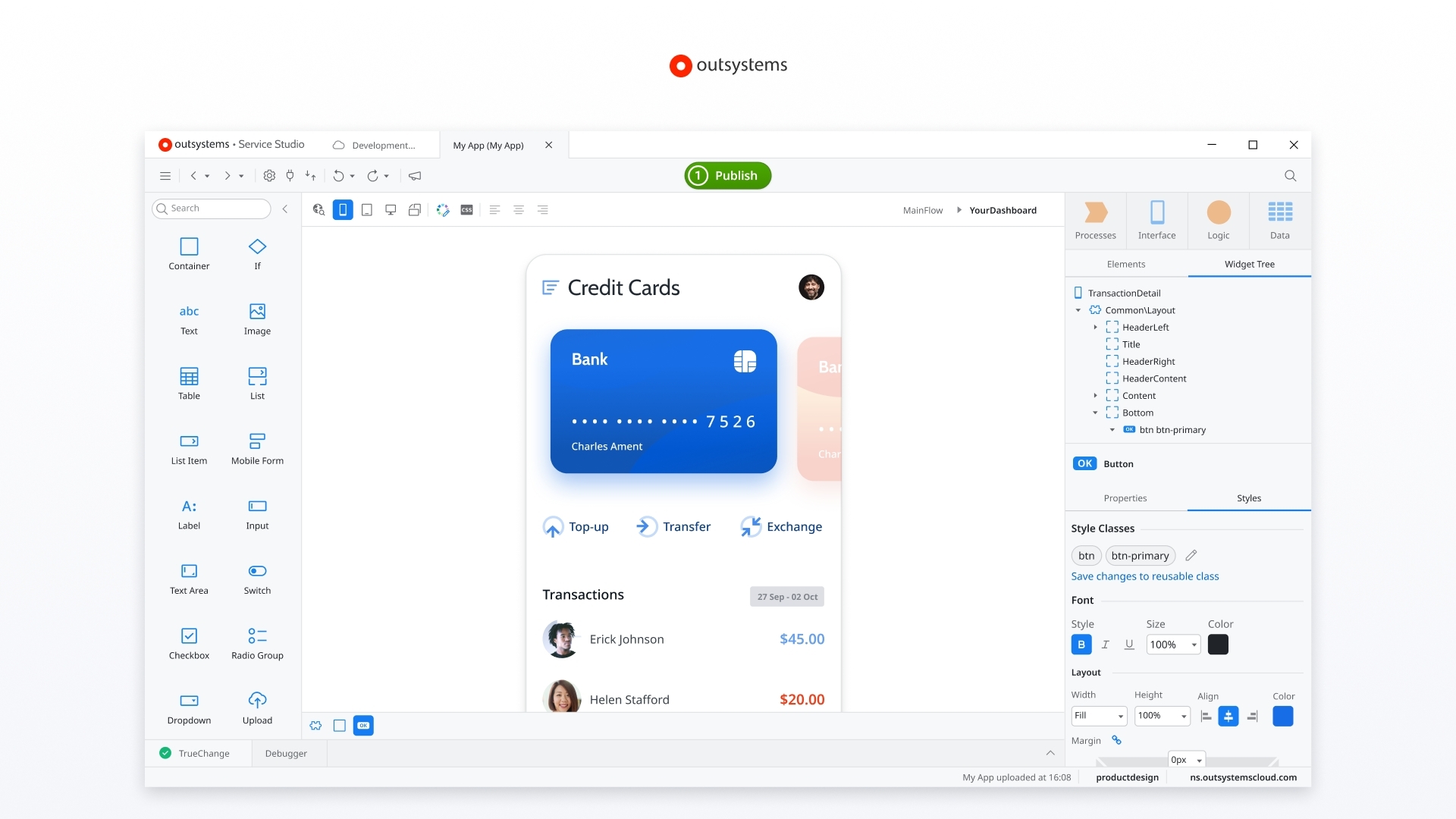
6. OutSystems
OutSystems is an AI-assisted, full-stack application platform for enterprise development and modernization.
Best for: IT-owned application programs joining existing enterprise systems with a formal development, testing and production lifecycle.
Key capabilities
- Visual application development combines interfaces, business logic, data and integrations.
- Separate runtimes let development, testing and production use different app versions and data.
- OutSystems 11 generates .NET applications and supports code extensions when visual development needs to go further.
For example, an IT team can replace a legacy service application while retaining integrations with existing business systems.
Connect & deploy: OutSystems 11 supports cloud and self-managed configurations, with an option to detach its generated .NET application source and run it independently. Deployment and export options differ by edition, so the edition you buy matters.
Trade-off: Pricing reflects the application's size, users and runtime environments. An enterprise-wide platform quote is not comparable to one builder seat.
Pricing: Production subscriptions are quote-based, reflecting application objects, internal/external users and additional capabilities or environments. Personal Edition is for learning and exploration.
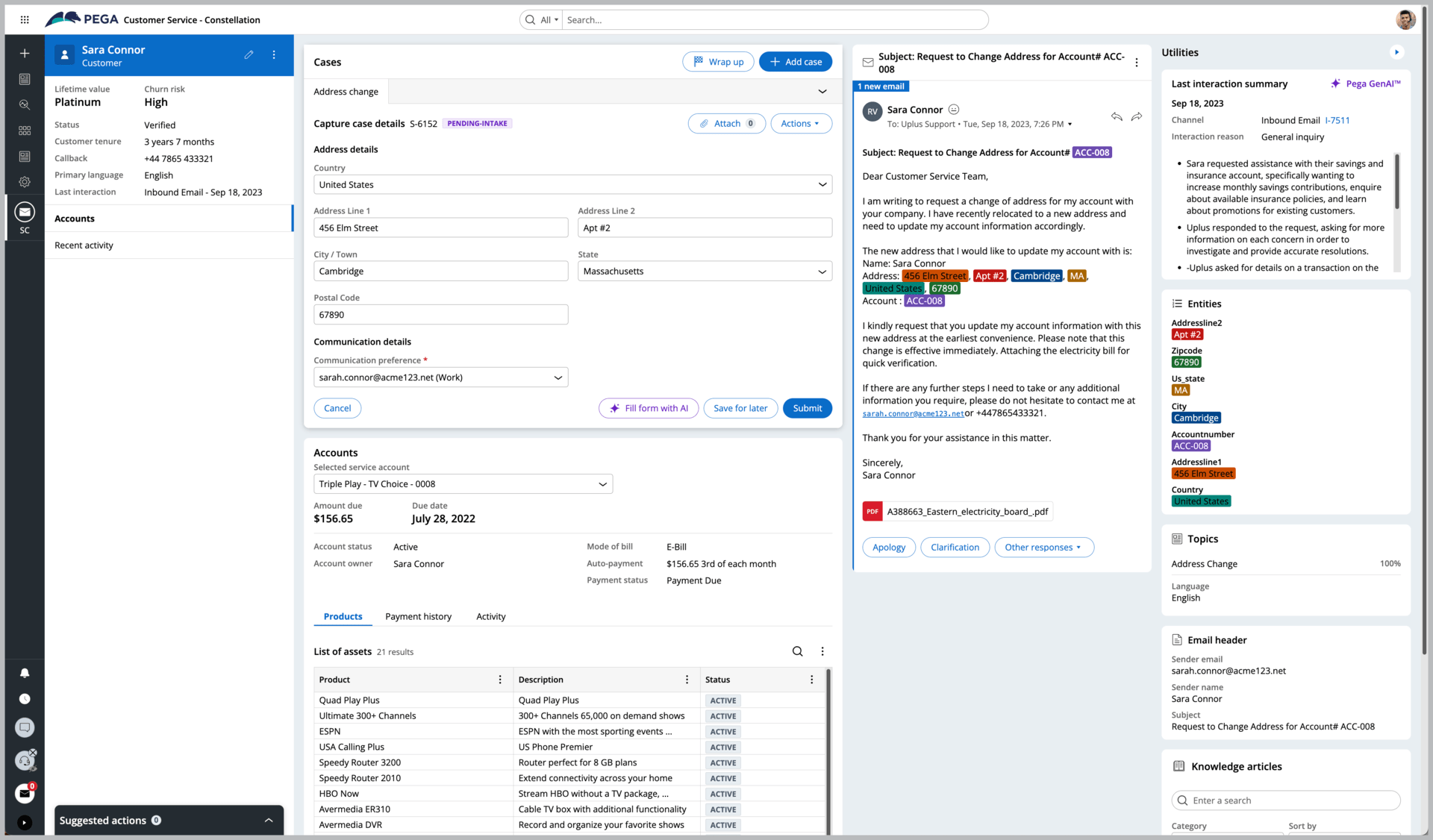
7. Pega
Pega is an enterprise platform for model-driven applications, business rules and complex case management.
Best for: case-centered operations such as onboarding, claims and customer service, where rules and the case lifecycle organize the work.
Key capabilities
- App Studio models business processes through case types, personas and data objects.
- Role-based permissions control which actions each signed-in user can perform.
- Connectors and services integrate with external systems using protocols including REST and SOAP.
For example, an onboarding case can collect information, route work to different participants and handle an exception before completion.
Connect & deploy: Pega packages application rules and selected data for import into another Pega environment. The app continues to run on Pega rather than becoming a standalone application.
Trade-off: Pega makes most sense when your team organizes work around cases and rules that change over time. Its value is less compelling if you mainly need a custom interface over existing data. Hosting and required services depend on your agreement.
Pricing: Contact Pega sales for a proposal covering your application, usage and deployment requirements. Your contract determines which Pega Cloud environments and services are included. A Blueprint design or trial environment is not a production license.
8. Oracle APEX
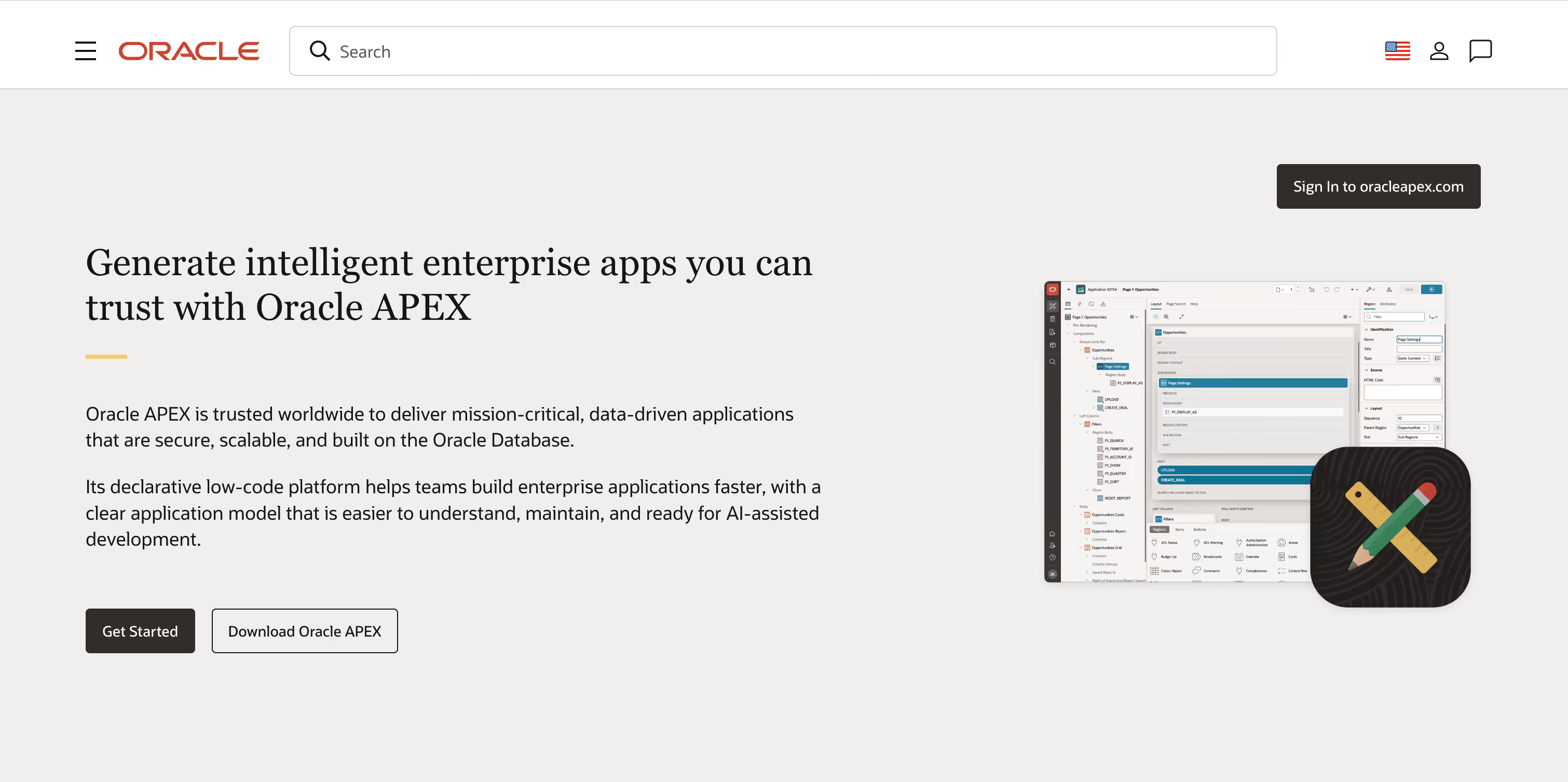
Oracle APEX brings low code app building directly into the Oracle Database.
Best for: teams already running Oracle databases who need web interfaces on top.
Key capabilities
- The visual page designer creates interfaces for your database with minimal code.
- Interactive reports, forms and grids expose and update business data, while REST Data Sources connect external services.
- Authentication and authorization schemes control access; SQL and PL/SQL extend application behavior.
For example, a team can add an inventory or purchasing interface to its existing Oracle database, with approvals and reporting for different roles.
Connect & deploy: Use data in your Oracle database or connect external REST APIs. APEX can run in Oracle Cloud or a self-managed Oracle Database. Application exports are SQL scripts that recreate the APEX application in a compatible environment; they still require APEX and Oracle Database.
Trade-off: The advantage is strongest when your team already has an Oracle database and the skills to maintain it. Include database operations and hosting in the decision rather than comparing the APEX license alone with a hosted app platform.
Pricing: APEX has no separate license fee with supported Oracle Database editions, and no per-app or per-end-user APEX fee. Database/cloud resources and support are separate; Oracle also offers an Always Free cloud route. The total depends on the database and hosting you need.
9. Salesforce Lightning
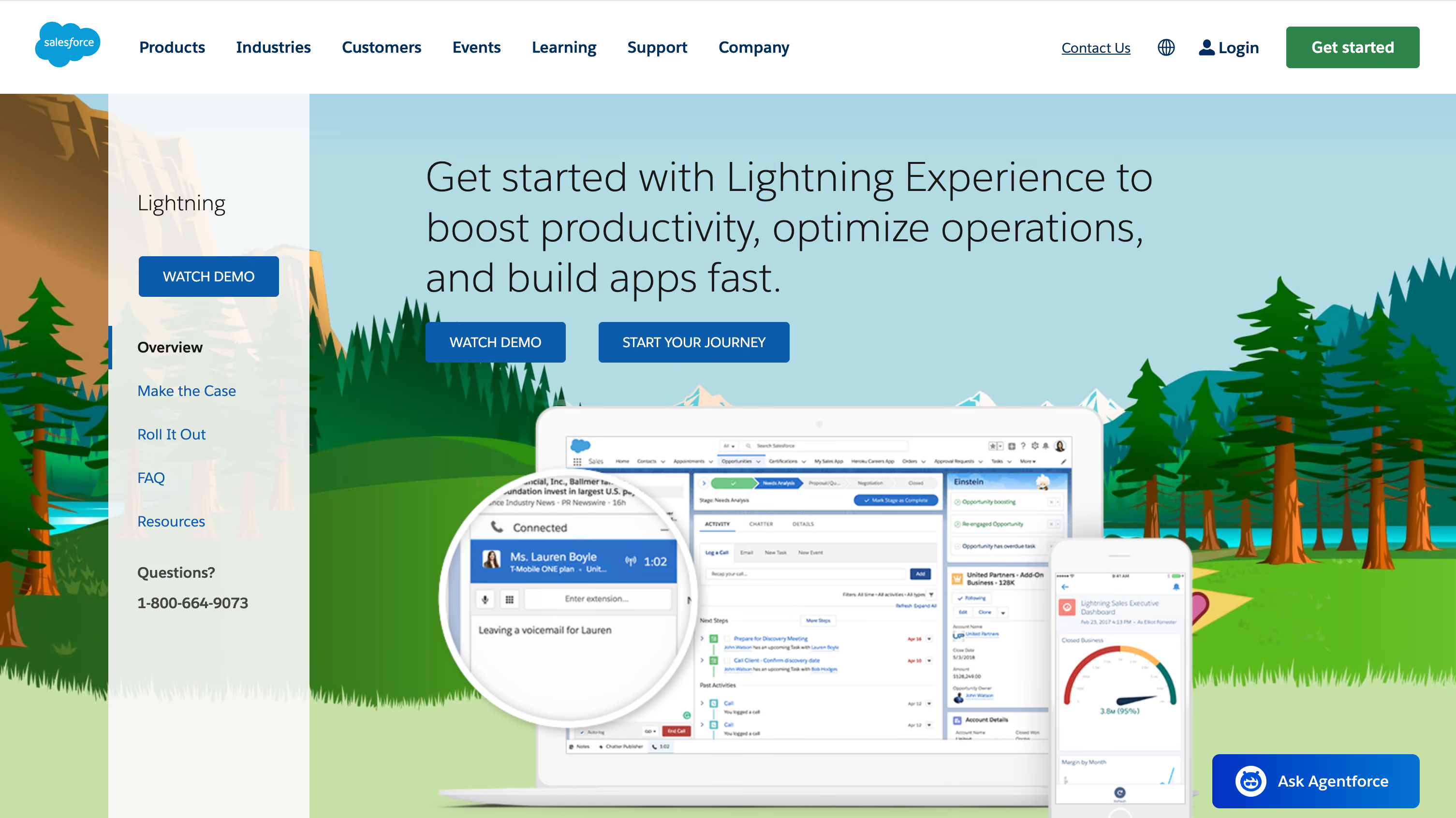
Salesforce Lightning provides visual app building and component development on the Salesforce platform.
Best for: sales and operations teams already on the Salesforce platform.
Key capabilities
- Lightning App Builder lets you drag CRM components onto pages without writing code.
- Flow supports process automation; object, field and record access determine what users can do with Salesforce data.
- Custom Lightning Web Components use HTML and JavaScript. Apex is another extension path, not the only way to customize beyond standard components.
For example, a team can add a customer-onboarding workspace around existing account and contact data.
Connect & deploy: Apps run on Salesforce. Metadata and change sets support moving customizations between Salesforce environments; they do not remove the Salesforce runtime dependency.
Trade-off: Start with the required objects, automation and access pattern. An employee platform license is not automatically the right license for a customer-facing portal, and external-user products may add cost.
Pricing: Platform Starter is US$25/user/month, billed annually, including access to ten custom objects. Free developer orgs are for building and testing. Platform Plus and add-ons such as Experience Cloud cover different production needs.
10. ServiceNow
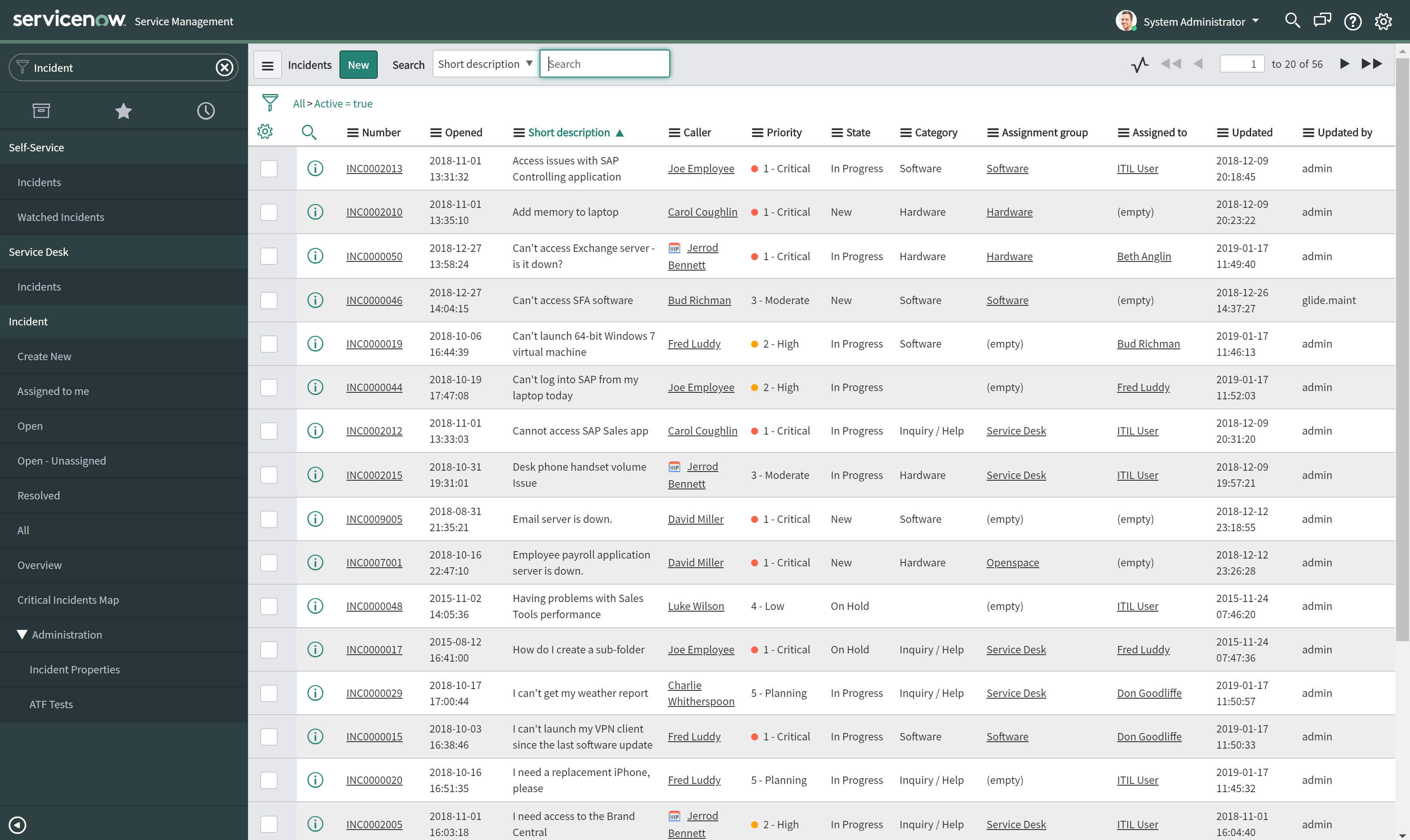
ServiceNow App Engine builds custom workflow applications on the ServiceNow platform.
Best for: organizations adding departmental and cross-team workflows to an existing ServiceNow setup.
Key capabilities
- App Engine Studio combines data tables, user experiences, logic and automation, and security roles.
- Delegated development lets designated users work on applications without becoming system administrators.
- Platform access-control rules can secure records and operations; the apps and tables you can use depend on your license.
For example, a facilities-request app can coordinate intake, assignments and resolution alongside existing service workflows. App Engine is not limited to IT service management.
Connect & deploy: Apps run within ServiceNow instances. Development and deployment controls manage changes between those environments; keeping application files in source control does not make the app independent of ServiceNow.
Trade-off: ServiceNow is a stronger fit when your team already uses the platform. New apps can need additional licenses for custom tables, integrations and users, so an existing service subscription may not cover the whole workflow.
Pricing: App Engine uses a custom package quote. Include the proposed app and its users in the licensing discussion; a developer instance is not a production subscription.
Which Low-Code Platform Fits Your Situation?
FAQ: Common Questions About Low Code Platforms
What is the main difference between low code and no code platforms?
Low code emphasizes visual development with supported code extensions; no code emphasizes building without writing code. The categories overlap, and neither determines how complex the finished app can be. Both can support citizen developers working with technical colleagues. If avoiding handwritten code is your main selection criterion, compare no-code app builders.
Can low code platforms build complex applications?
Yes. Low-code platforms can support complex business applications, including customer portals, operations tools and SaaS products. Complexity often sits behind the screens: the relationships between records, exceptions to a workflow and who can change what. A good fit lets your team maintain those rules as the app grows.
Are low code platforms secure?
They can support secure applications, but the result depends on the platform, configuration and operating practices. Authentication identifies a user; authorization determines what that user can read or change. Sensitive data needs access rules enforced on the server, secure credential handling and a way to investigate and recover from problems. Some controls and sensitive-data commitments depend on your plan, contract and own setup.
Self-hosting gives you control over infrastructure, but also responsibility for securing it. If your app handles sensitive information, consider where the data is stored, who can access it and what your organization requires from its service providers.
How do low code platforms handle scalability?
Scalability depends on the platform’s architecture, your data queries and the workload. A large customer list puts different demands on an app from hundreds of people updating records at once. Limits on requests, compute and storage also affect capacity. Once you have a shortlist, a realistic workload test will tell you more than a registered-user limit alone.
Will low code replace developers?
Low code helps developers work faster rather than replacing them. It automates repetitive tasks, allowing developers to focus on more complex challenges, custom logic, and system architecture. It also enables better collaboration between developers and non-technical team members.
Can I connect my own database or API?
Many low-code platforms connect external databases and APIs, but the supported sources, request paths and licensing differ. The important distinction is whether you can update records as well as display them, and how the connection protects access. A connector does not automatically carry over every permission from the source system.
Which low-code platforms are good for AI-assisted building?
Nodavelo offers native AI and an MCP route for external agents; AppSheet offers AI-assisted creation on paid AppSheet plans; Mendix offers Maia, and OutSystems offers AI-assisted app generation. For the team maintaining the app, being able to understand and refine what AI creates matters as much as the first generated version. AI used during development is separate from an AI feature used by the app's customers.
Which low-code platforms are good for integrations?
Start with the systems the app must read and update. Power Apps is a natural shortlist for Microsoft-based workflows; AppSheet for eligible Google Workspace data workflows; Oracle APEX for Oracle-centered applications. Nodavelo, Appian, Mendix, OutSystems and Pega also provide API or integration paths for cross-system apps. The right connection is the one that supports your workflow’s reads, updates and permissions at a price you can sustain. An app builder provides an interface and application logic; a dedicated integration tool may be the better choice when you only need systems to exchange data.
Conclusion: Make a Confident, Future Proof Selection
The strongest choice is a platform your team can keep improving as the business changes. Start with the workflow you need to run, then weigh who will maintain it, which systems it connects and what it will cost as more people rely on it.
Choose Nodavelo when business teams need to own custom enterprise operations apps and connected portals, with IT oversight where needed. Choose an ecosystem platform when your existing Microsoft, Google, Oracle, Salesforce or ServiceNow investment is the deciding factor. Appian, Pega, Mendix and OutSystems deserve a close look when their process models or enterprise delivery architecture match how your team needs to build and run applications.
Explore real-world apps in our showcase. Ready to build your own business-owned application? Start building with Nodavelo today.